Stop chasing parents for judges.
Parents and community volunteers sign themselves up. You see coverage per tournament at a glance. The reminders go out without you.
- A judge pool parents and volunteers join themselves
- Committed vs. needed, per tournament
- Recruiting and reminder email, sent for you
- Service tracked against each student's obligation
No judges, no entries.
Every third or fourth entry needs a judge, depending on the tournament and the event. Miss the obligation and the entries don't go. So the week before a tournament turns into a spreadsheet, a group text, and chasing people who already said yes once — while you still have a team to coach.
Your judges sign themselves up
Open a sign-up and the portal emails your judge pool. People commit or decline in one tap and get a calendar invite; when a tournament fills, the next person joins a waitlist as an alternate instead of a spot quietly going to two people.
Not every judge is a parent. Community volunteers join the same way — and the obligation tracker knows the difference, so a volunteer is never chased about a student's requirement.
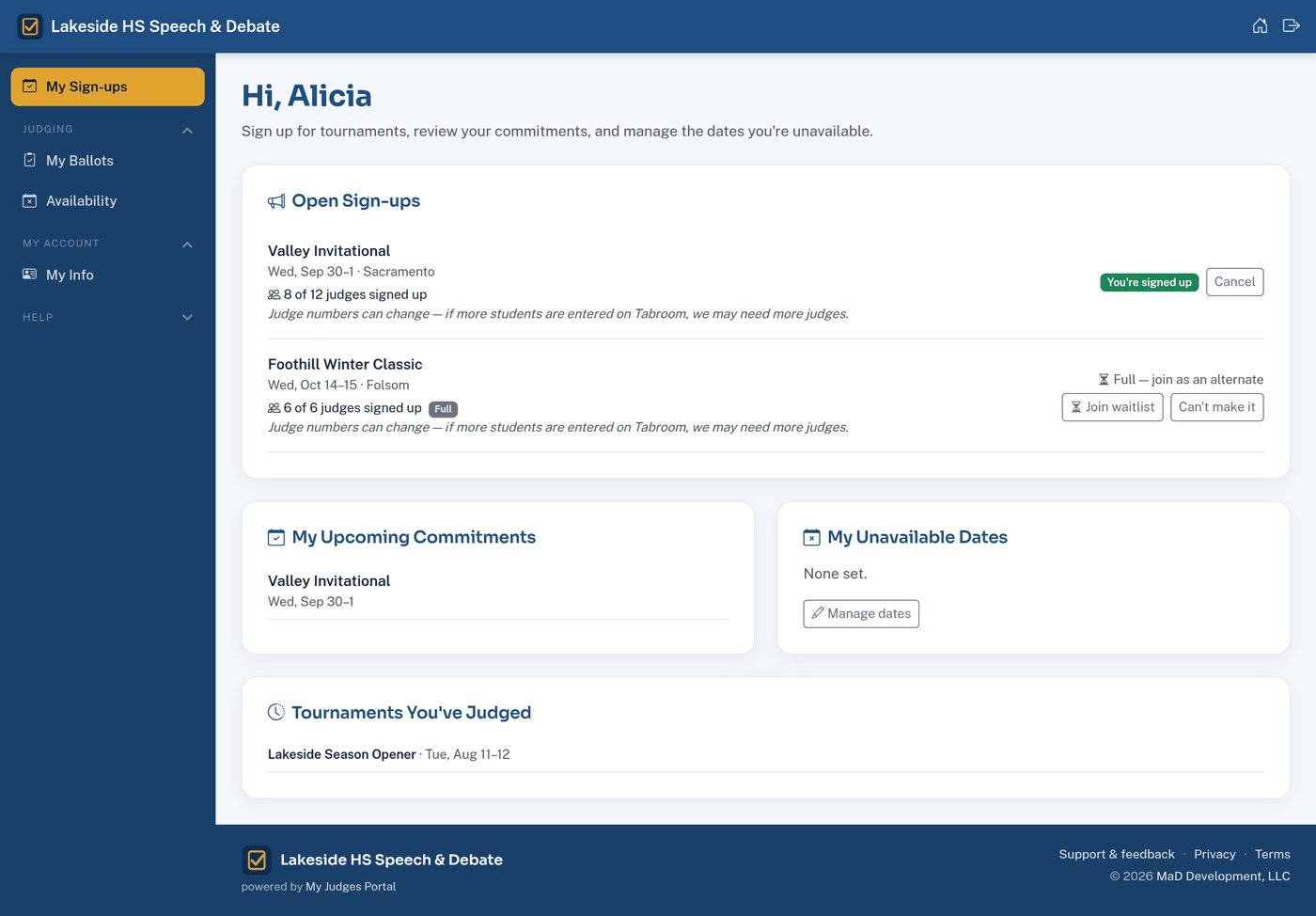
Know where you stand
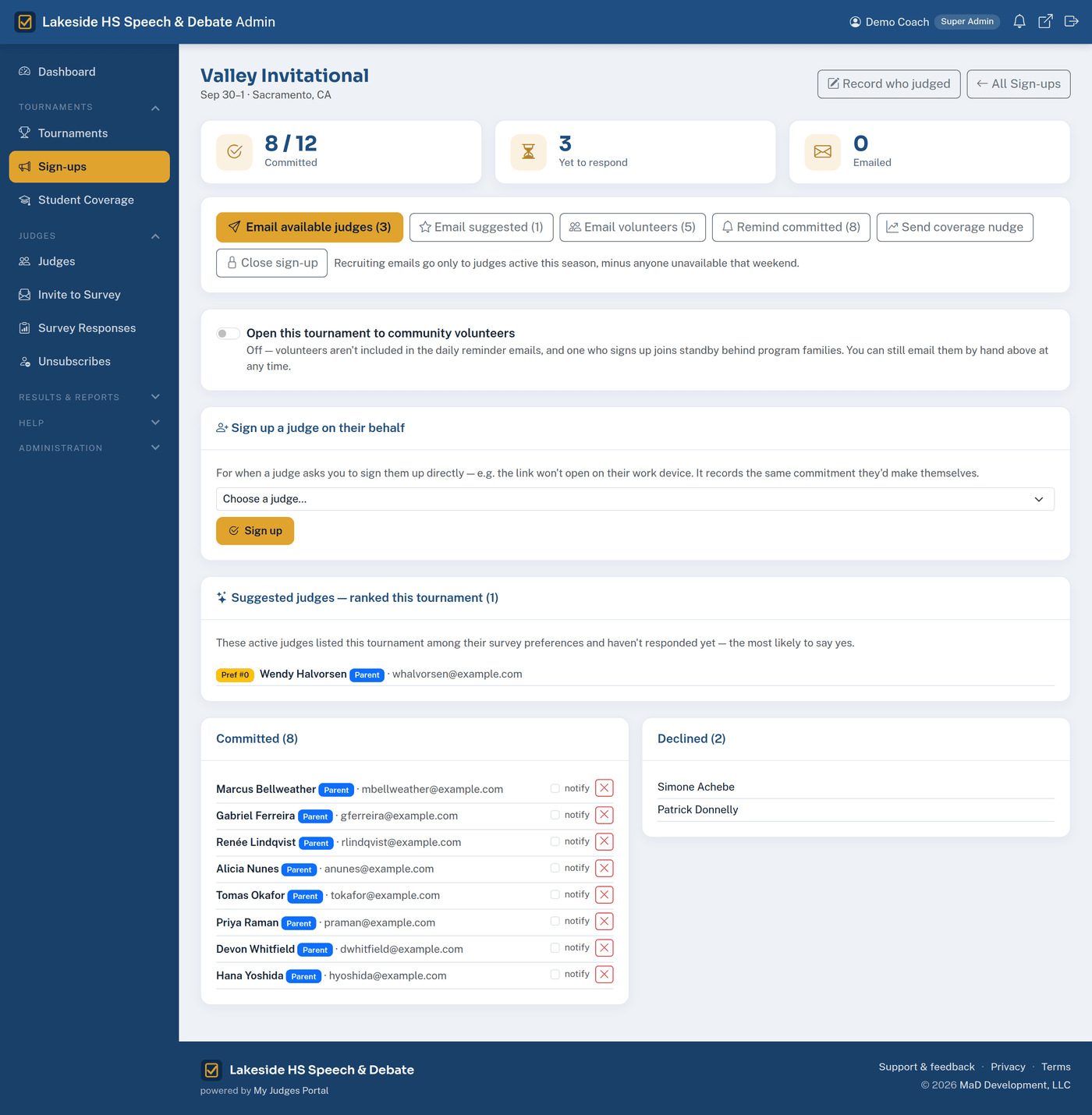
Committed against needed, for every tournament, without opening a spreadsheet. Judges needed is worked out from your entry counts, and Student Coverage shows which families still haven't put anyone forward.
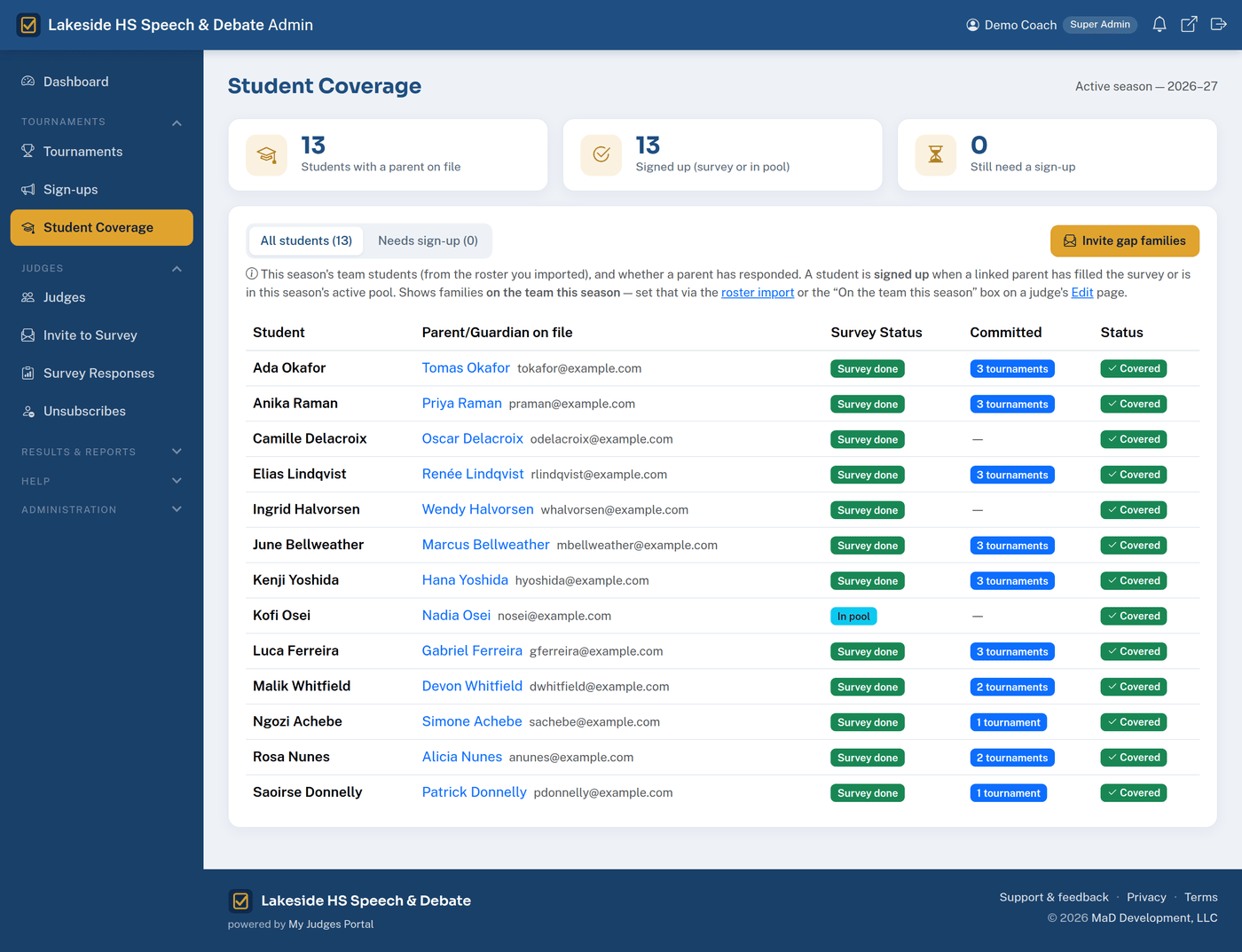
The chasing is automatic
Recruiting email goes to the judges who said they'd cover this tournament. Reminders go out before the event. People invited in the last two days are skipped, so re-sending is safe.
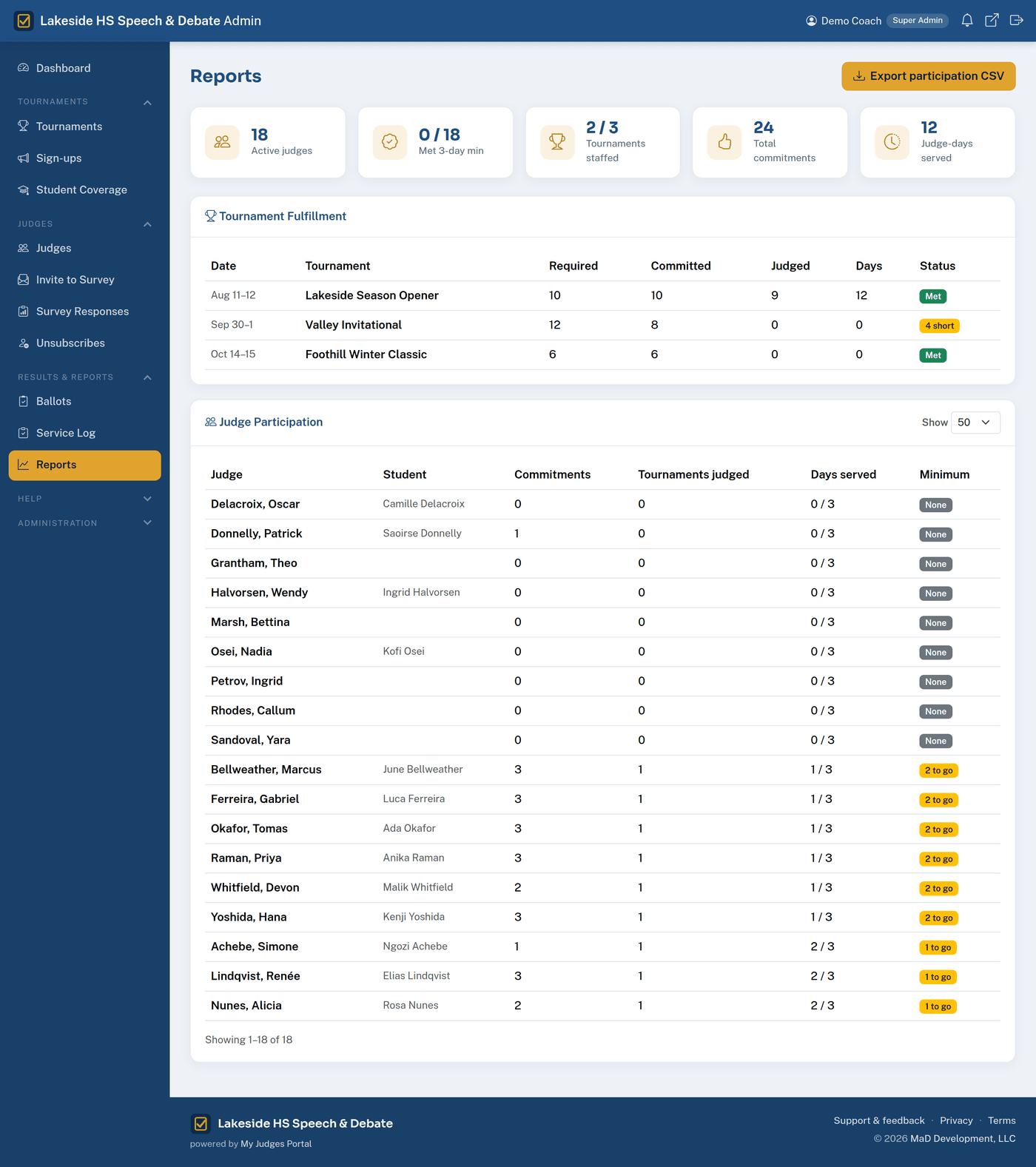
Season reports, not archaeology
Log who actually judged after each tournament and the obligation tracking takes care of itself — per student, with two parents pooling toward one requirement. Export the season for your athletic director.
Parents actually use it
There's no password to forget — a parent enters their email and gets a sign-in link. From their phone they can commit to a tournament, block the weekends they're away, and see what they've already covered.
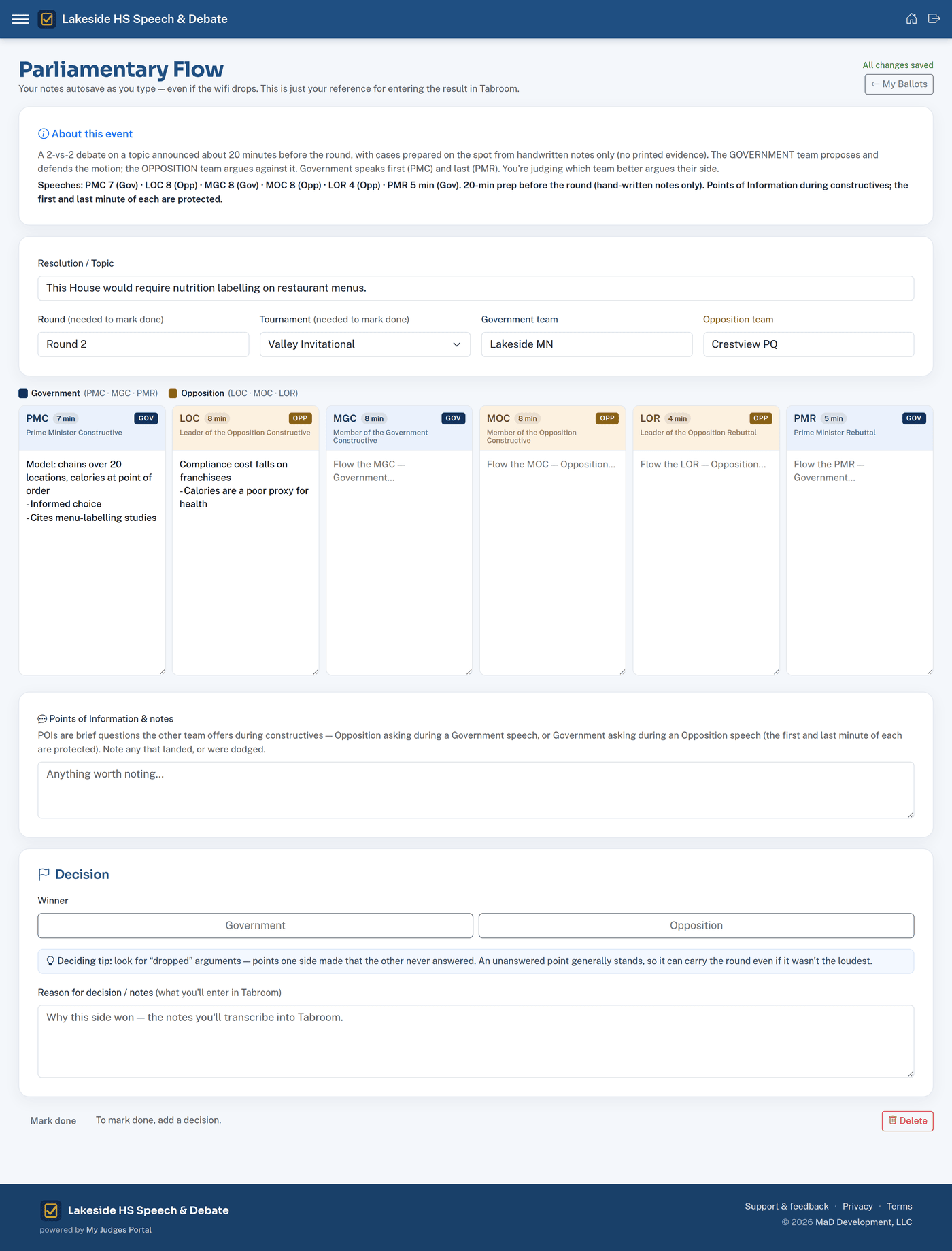
First time judging? The portal gives them a flow sheet for the round: columns for each speech, a place for the decision and the reason, saved as they type even if the wifi drops — then they copy it into Tabroom. It's the difference between a nervous parent saying yes once and saying yes again.
Free to use this season
My Judges Portal is in early access, and it's free for the schools using it while we onboard our first programs. No card, no pricing to discuss yet, nothing to cancel.
Sign-up is by invitation — you'll need an invite code from us. If you don't have one and you'd like to try it with your program, get in touch.
Start your portalEverything's included — judges, sign-ups, email, ballots, reporting.
Why this exists
I'm a parent with a kid in speech & debate at a Northern California high school. Every third or fourth entry we send needs a judge, and if we can't cover that obligation we don't compete — so every season came down to the same thing: a spreadsheet, a group text, and a week of chasing people who'd already said yes once.
I build software for a living, so I built this instead. It runs our program's judge sign-ups this season.
— Mark McEwen, MaD Development, LLC
- Each school gets its own address and its own data — schools never see each other's
- Not a student records system: no grades, discipline or health data
- Parents can opt out of bulk email and still get their sign-in links
- Your data is yours — export it any time, and it's deleted 90 days after you close the account
- Nothing you put in is used to train AI models
Details in the Privacy Policy and Terms. Questions: support@myjudgesportal.com.
Set it up before your next tournament.
Sign up takes a couple of minutes. We'll email you a link to set your password once your school is approved.
Start your portalCurrently running judge sign-ups for a Northern California speech & debate program.